02 Problem & Strategy
Solving "Inconsistency" at Scale
The Pain Point: "Fragmented Experience, High Friction"
Our audit revealed that users faced disjointed workflows across the product suite, leading to high drop-off rates during critical tasks like job application and profile management. Developers were also slowing down by "reinventing the wheel" for every new feature.
Users abandoned critical flows due to inconsistent patterns and repetitive data entry friction.
Engineering velocity slowed as teams constantly rebuilt similar UI elements from scratch.
The Strategy: Modular & Reusable Patterns
Instead of designing screens in isolation, I adopted a System-First Approach . This shift moved us from one-off page design to creating a language of reusable components.
Standardized Flows
UnifiedCreated a unified "One-Click Apply" pattern to remove friction and standardize the application process.
Component Library
32 ItemsBuilt 32 reusable components (Cards, Lists, Inputs) to ensure visual consistency and accelerate engineering velocity.
03 System Implementation (Showcase)
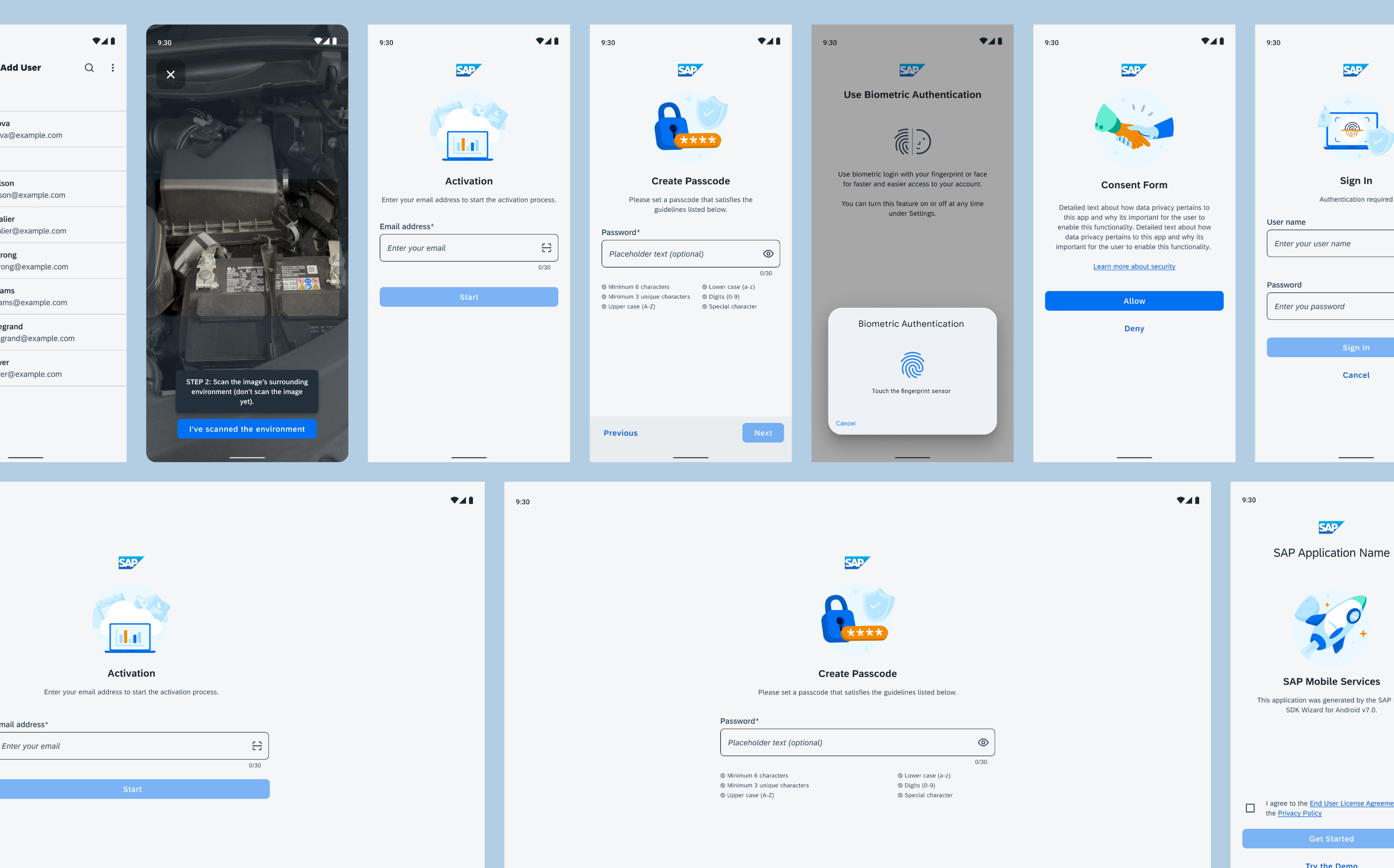
"Powered by the SAP Design System Tool Kit." The screens above demonstrate how we applied the standardized design language to a real-world product. By leveraging atomic components from our central library, we ensured a consistent and accessible experience across the entire candidate journey.
Reach Out for the Full Design Walkthrough.
04 Impact & Learnings
We proved that a strong design system doesn't limit creativity—it frees up designers to focus on unique business problems rather than basic plumbing.
Infrastructure is the silent accelerator.
By solving the universal pain points (like Activation & Login ) just once, we stopped teams from "reinventing the wheel." Infrastructure doesn't just standardize UI—it standardizes excellence across the ecosystem.